
 How to pay for your Presentria service?
For individual users:
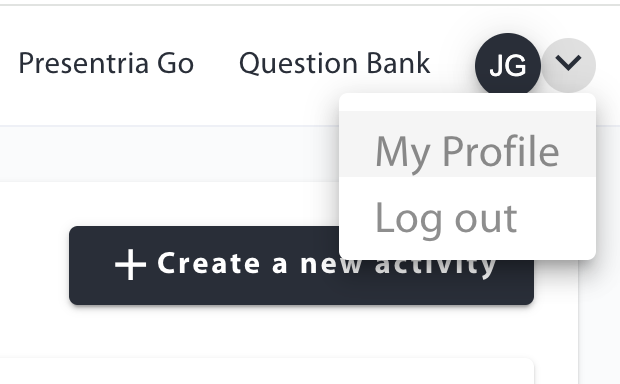
- Log into your Instructor Portal (https://presentria.com/teacher), click your profile icon, and go to the "My Profile" section in the upper right-hand corner of the screen.
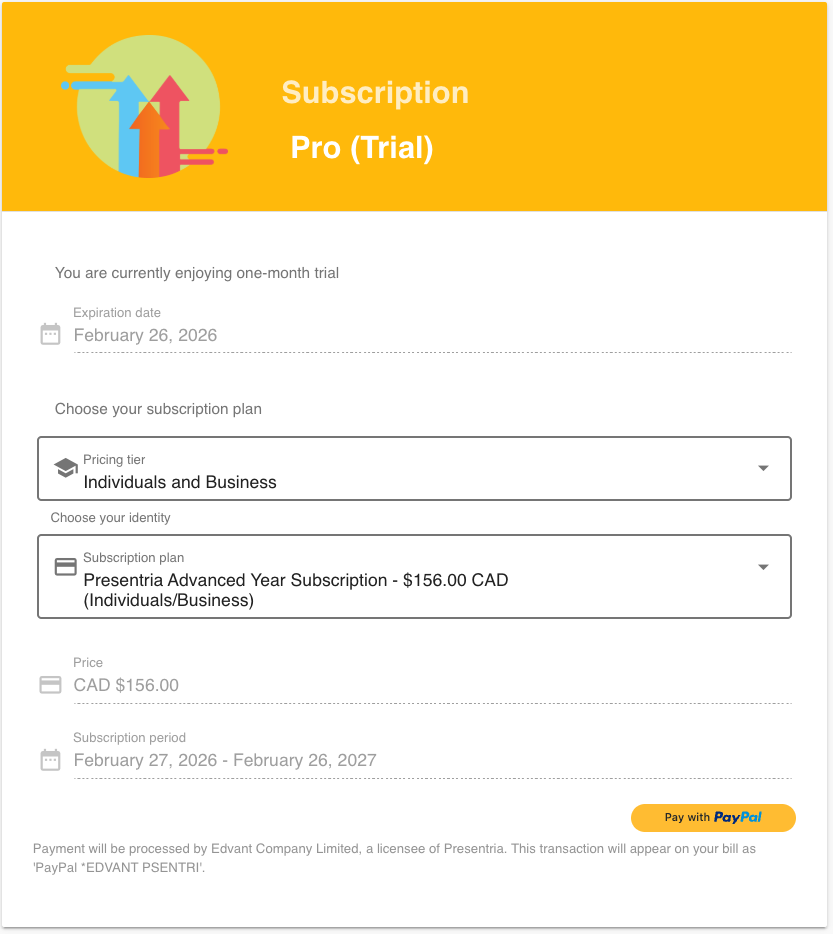
2. Scroll down to the Subscription section. Select the paid service and pay with credit cards or credits using PayPal. You do not need to have a PayPal account. All major credit cards are accepted.
3. Once the payment is processed, you will receive an e-mail confirming your paid subscription.
For schools and companies:
Please contact your account manager at Presentria. You can wire funds to Presentria electronically or send cheques to us.
 During your 1-month free trial...
- You can try our AI-powered class response system, gamification features, and also Presentria GO for free.
- You have full access to the advanced reporting functions.
 After the first month, if you choose to keep using our FREE service...
- That's good. Your trial account will be reverted to our free, basic plan that has a limited usage in our class response system. There is no expiry date and you can keep using it forever.
- No reporting will be provided.
- The Presentria GO function will be disabled.
- However, the data that you have stored in the report during the 1-month trial period will continue to be kept safely in our server. When you decide to upgrade to a paid subscription later, you can access such data again.
 If you choose to upgrade to one of our paid services...
- That's great! If you upgrade within the 1-month free trial period, your payment will be adjusted accordingly. If you upgrade after the 1-month free trial period, you'll be paying the published rate.